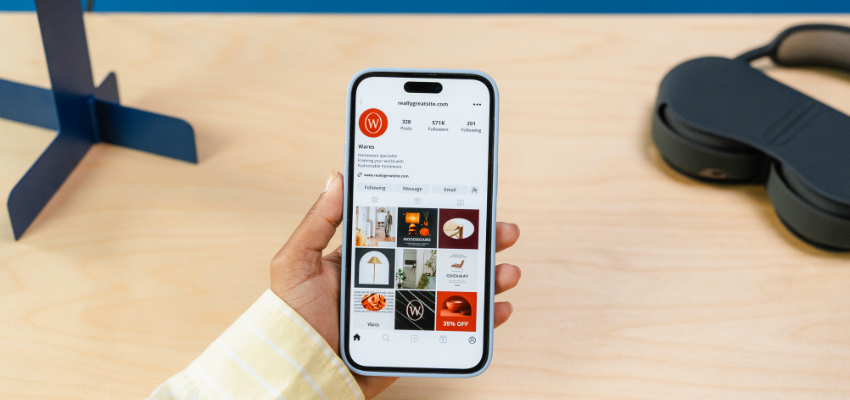
Running Your Social Media Channels (Organic Posting)
Every school in our network is expected to manage and post regularly on its social media channels—primarily Facebook and Instagram. These platforms are your school’s most visible, real-time connection to families. They help build trust, showcase your community, and keep both current and prospective families engaged.
Posting consistently doesn’t require advanced skills or expensive tools—it just takes a plan, some great photos, and a clear understanding of your audience.
✅ Pros of Organic Social Media:
Real-time communication: Quickly share events, student achievements, or important updates.
Builds school culture: Families love seeing what’s happening day-to-day inside the building.
Free to use: Organic posting costs nothing but time.
🚫 Cons of Organic Social Media:
Requires consistency: Accounts that go silent for weeks lose visibility and trust.
Harder to reach new families: Organic posts mostly reach current followers.
Photo quality matters: Low-quality images or confusing posts can reflect poorly on your school.
🏫 Why Social Media Is Required
All schools are expected to:
- Maintain an active Facebook and Instagram account
- Post 3–5 times per week on each platform
- Respond to DMs or comments in a timely manner
- Tag @ConceptSchools when posting about major events or milestones so we can amplify your content
In addition to consistency, all posts should follow our mission-driven messaging framework:
“We provide a high-quality, STEM-focused and college-preparatory education through a network of charter schools, while offering exceptional programs, comprehensive services, and opportunities to partner in education.”
Use your social media posts to:
- Inform: Share important announcements, updates, and deadlines
- Celebrate: Highlight student success, staff recognition, or community involvement
- Educate: Reinforce themes tied to STEM, character development, or college preparation
While you are responsible for posting, you can always request help with visuals and layout through the Marketing Request Form. We'll ensure your content looks sharp and stays on brand.
🛠️ Getting Started with Social Media:
Assign a Social Media Owner:
Designate one staff member (community coordinator, office admin, etc.) to manage your posts.
They should have login access, a phone/camera, and permission to post regularly.
Create a Weekly Content Plan:
Post types to include:
- Student features or classroom highlights
- Staff spotlights
- Upcoming events or deadlines
- Parent reminders or celebrations
Use a Google Sheet or calendar to plan 1–2 weeks ahead.
Use Great Photos and Captions:
Prioritize clear, in-focus photos with smiling students or engaging moments.
Keep captions short, warm, and written in your school’s voice.
Use 3–5 relevant hashtags such as
#ConceptSchools,#STEMeducation,#NowEnrolling
Tag and Engage:
Always tag @ConceptSchools in major posts—we’ll help share them network-wide.
Like and comment on posts from parents, local organizations, or Concept partners.
Respond to DMs or comments within 24–48 hours.
Stay Consistent:
Even during slower months, aim to post at least 2–3 times per week.
Consistency is more important than perfection.
💸 Budget Considerations:
None for organic posting—this is free
Optional: small budget for boosted posts ($20–$50/month)
📈 How to Measure Success:
Growth in followers over time
Engagement: likes, comments, shares, and DMs
Website traffic or event attendance after high-performing posts
🚫 Common Mistakes to Avoid:
Posting infrequently or going silent for weeks
Using blurry photos or irrelevant content
Ignoring DMs or comments from parents
Forgetting to tag @ConceptSchools for network visibility
📝 Workspace & Notes:
Assign a social media lead
Name and role:
Set your weekly posting goal
3–5x per week or more?
Create your post categories
Student features, staff spotlights, events, reminders, etc.
Build your content calendar
What’s coming up that you can post about?
Tag and engage
Did you tag @ConceptSchools and respond to comments? Yes / No